Anime Zombie Arena Beginner Tips
First-hour mistakes, currency discipline, lobby habits, and links that keep early sessions productive.
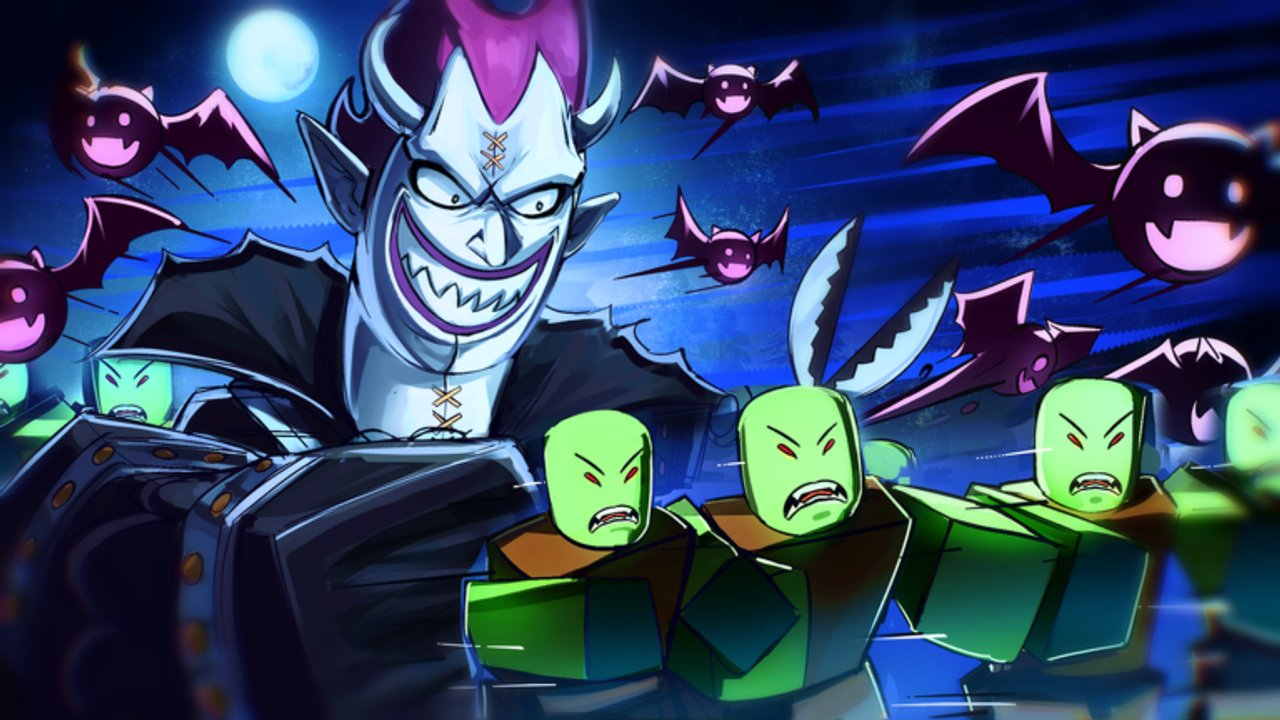
Beginner tips for Anime Zombie Arena focus on habits that survive patches — not invented class names or fake code lists. Rubicon Z’s free Roblox survival arena asks you to clear endless zombie waves, unlock classes, summon legendary units, beat bosses, and build teams in lobbies of up to 25 players. Place 71325865470589 is easy to join and easy to waste time in. This page covers first-hour mistakes, currency discipline, reading the lobby after publishes, joining the creator group, and how to use the rest of the wiki without chasing rumors.
Pair this with Getting Started for the ordered day-one route, Controls for input setup, Codes for promo status, and Updates whenever the client stamp moves.
First-hour mistakes to avoid
- Spending soft currency in the first ten minutes. Menus look exciting after a clean join. Wait until you understand which unlock actually raises clear speed or survivability. The Farming Guide exists so you farm with a goal instead of impulse-buying.
- Ignoring controls until a boss wipe. Camera, ability, and summon inputs fail under pressure. Fix Controls before you blame your kit.
- Treating public chat as a tier list. Random “best class” shoutouts often lag behind the live build or copy other anime Roblox games. Use role archetypes from Getting Started and the evaluation frame on the Tier List Hub.
- Never opening Codes or Updates. Even when the Codes Hub lists no confirmed active codes, the redeem button and lobby layout can move after a publish. Skim Patch Notes so you know the last public stamp (12 November 2026 as of our review).
- Playing the whole session as a silent lone wolf. Team building is part of the fantasy. Call a simple role (DPS, support, sustain, or summoner focus) so 25-player lobbies can cover gaps.
- Mute everything. Audio often carries wind-ups that visual clutter hides. Lower music relative to SFX instead of silencing the client.
- Summoning the moment the button lights up. Empty-space summons waste economy. Save windows for dense packs or boss-like spikes — see Units and Summons.
If you only fix three things today: delay spending, tune controls, and treat the first waves as a lab.
Currency discipline (soft progress without regret)
Endless waves make it feel like currency is infinite. It is not — your attention is the scarce resource. Use this discipline loop:
- Set a session goal before you queue: unlock one meaningful option, reach a wave band, or attempt one boss with a plan (Boss Guide).
- Bank early rewards until you finish a short wave lab from How to Play.
- Spend on the bottleneck you felt, not the flashiest icon. If you die to packing, survivability or positioning matter more than another unlearned damage kit (Classes Guide).
- Leave a buffer for post-patch price or shop UI surprises. After the 12 Nov 2026 update stamp, re-check shops before dumping a stockpile.
- Log what you bought in the Loadout Planner so next session does not repeat the same impulse.
Codes, when they exist, are a bonus — not a substitute for this loop. Recheck Codes after patches; do not invent strings from other games.
Reading the lobby UI after patches
Roblox update stamps mean the place was republished. They do not always ship a public changelog. After you rejoin from the official game page:
- Scan for new lobby buttons (shop, mail, codes, events, battle pass style panels).
- Confirm your class and summon controls still sit where your muscle memory expects.
- Compare early-wave pacing to your last session before spending.
- Read Rubicon Z group shouts the same day — community 333449680.
- Open the November 2026 Update Snapshot and Patch Notes for verified dates without fake bullet lists.
Beginners who skip this step often “fix” a kit that simply moved in the UI or needs a rebind.
Join Rubicon Z (and why it helps new players)
Joining the Rubicon Z group is free and practical:
- Shouts and wall posts are where many studios announce codes, maintenance, or events first.
- You reduce reliance on impersonator accounts and unrelated Discord spam.
- You can cross-check claims against Official Links instead of shortened off-platform redirects.
Enable notifications you can tolerate, then mute noisy side channels. Official links and the experience page beat “leaks.”
Wave strategy habits (even before deep guides)
You do not need a spreadsheet to survive early bands. Use these habits, then deepen them in How to Play and the Farming Guide:
- Keep moving — greed standing still for damage numbers feeds wipes.
- Reset to a known edge when packs surround you; do not tunnel into the densest pile every time.
- Watch where the lobby clumps — AoE value rises when people share a lane; boss prep needs clearer role splits.
- Treat each death as a note — bad camera, late dodge, or empty summon? Fix one cause per run.
- Stop on a goal — endless mode will happily burn two hours with zero unlocks if you never set an exit condition.
Team-building for beginners in 25-player lobbies
Anime Zombie Arena advertises team building for a reason. Beginner-friendly co-op habits:
- Announce your archetype, not a brag: “sustain focus” or “summon on burst” is enough.
- Avoid four identical glass roles if bosses keep deleting the group — swap using the Boss Guide wipe-recovery mindset.
- Share summon windows instead of everyone dumping independently into empty space.
- After a wipe, change one variable (position ring, summon timing, or role coverage) before requeue tilt.
Lock tonight’s plan in the Loadout Planner once controls feel trustworthy.
How this page links your next reads
| Goal | Open next |
|---|---|
| Ordered first session | Getting Started |
| Movement, abilities, co-op calls | How to Play |
| Input and settings | Controls |
| Promo status | Codes |
| Efficient unlocks | Farming Guide |
| Class / unit evaluation | Tier List Hub |
| Timeline and post-patch checklist | Updates, November 2026 Snapshot |
A short beginner checklist you can reuse
- Launch from the official place link; favourite the experience.
- Join Rubicon Z; skim the latest shout.
- Tune Controls for your device.
- Check Codes (still no confirmed actives as of the post–12 Nov 2026 review — redeem UI may still move).
- Run a wave lab; delay spending.
- Pick one archetype; practice one planned summon.
- Farm or boss with a written goal (Farming Guide, Boss Guide).
- After any client bump, re-read lobby UI and the Updates Hub.
Calm systems thinking beats copying a stranger’s loadout. Use these beginner tips every time you return after a break or a publish, and let the linked guides supply depth without invented rosters.
Frequently Asked Questions
Quick answers for Anime Zombie Arena players.
What is the biggest beginner mistake in Anime Zombie Arena?
Spending early currency before you understand your bottleneck, and skipping controls setup until a boss wipe. Lab the waves first, then spend with a goal.
Should I redeem codes before playing waves?
Check the Codes Hub each session. As of the post–12 November 2026 review there are still no confirmed active codes, but the redeem UI can appear or move after patches.
Why join the Rubicon Z group?
Group shouts and wall posts are primary channels for updates and potential promo news. It also helps you avoid impersonator links.
How do I play waves as a complete beginner?
Keep moving, reset when surrounded, treat deaths as notes, and set a session stop condition. Deepen habits in How to Play and the Farming Guide.
Do I need a pre-made friend party?
No. Public lobbies support up to 25 players. Still announce a simple role and summon plan when you can.
What should I open after this tips page?
Getting Started for the ordered route, Controls for inputs, then Farming Guide or Boss Guide depending on your session goal.