Anime Zombie Arena Controls
PC, mobile, and console expectations plus settings tips for chaotic 25-player zombie waves.
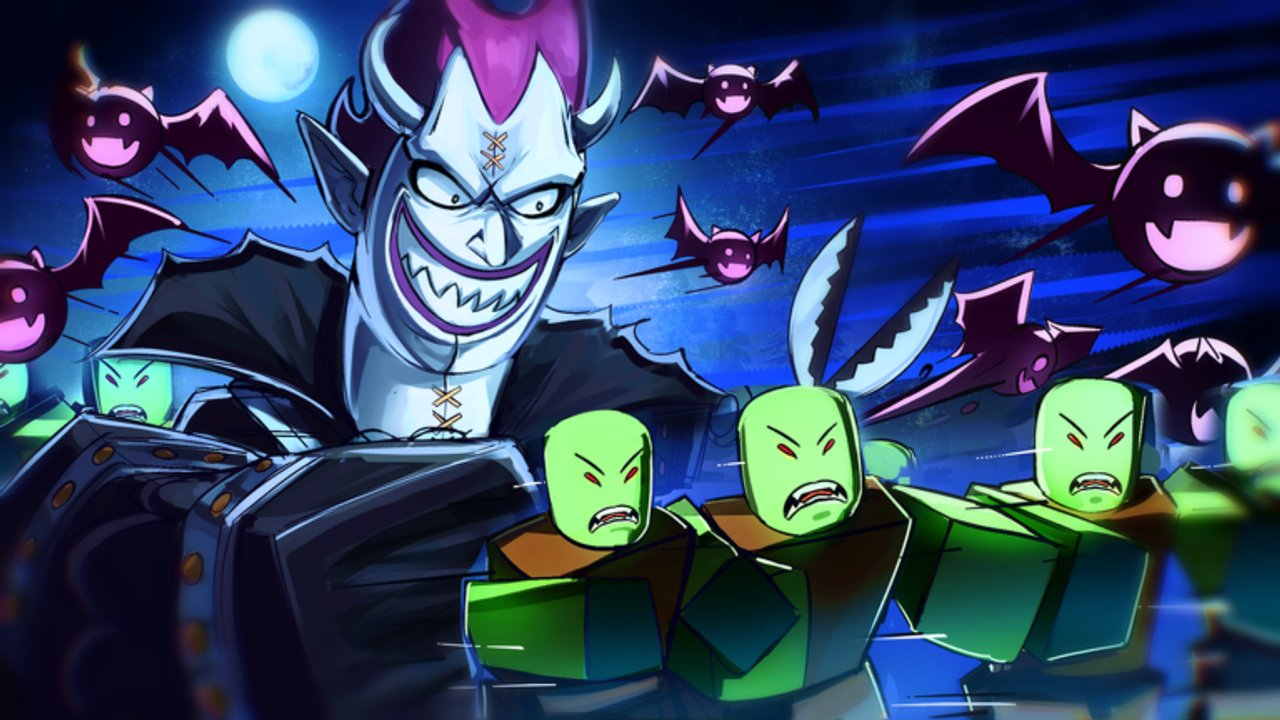
Clean controls are the hidden tier list of Anime Zombie Arena. Rubicon Z鈥檚 free Roblox survival arena asks you to dodge endless zombie waves, fire class abilities, summon legendary units, read boss telegraphs, and coordinate team building with as many as 25 players. No unlock fixes a camera that drifts or a summon button you hit by accident.
This page covers PC, mobile, and console expectations for a Roblox survival arena, plus settings habits that reduce panic misinputs. Pair it with Getting Started and How to Play.
Universal principles (every platform)
- Separate movement from panic buttons 鈥?mobility and summons should not share easy mis-tap zones.
- Keep the boss (or densest pack) on-screen while still seeing ground telegraphs near your feet.
- Audio on 鈥?many tells are easier with sound.
- One change at a time when tuning sensitivity.
- Re-test after Roblox client updates 鈥?UI scale and dead zones shift.
If a fight feels 鈥渓aggy鈥?but your ping is fine, you may be fighting your layout, not the server.
PC expectations
PC usually offers the highest precision for Anime Zombie Arena dodges and ability aim.
Suggested focus
- Rebind or mentally map ability keys so your left hand never leaves comfortable WASD reach for long.
- Place summon on a key you will not brush while spamming basics鈥攁ccidental summons waste the economy taught in Units and Summons.
- Use a mouse sensitivity that lets you do a ~180掳 turn without lifting, but still micro-adjust on ground markers.
- Disable overlapping OS shortcuts that steal focus (clipboard managers, overlays) during boss pulls (Boss Guide).
PC settings checklist
- Graphics mode stable at your target frame rate; prefer consistency over max fancy effects during dense waves.
- Fullscreen or borderless based on which keeps alt-tab accidents rarer for you.
- UI scale large enough to read ability charges at a glance.
- Push-to-talk if you voice call windows; avoid open mic chaos in 25-player noise.
Mobile expectations
Mobile is fully valid for Roblox, but arena survival needs deliberate thumb layout.
Suggested focus
- Increase readability of ability and summon buttons; tiny icons cause wipe-level mis-taps.
- Choose a camera mode you can adjust mid-wave without opening deep menus.
- Keep the movement stick from overlapping the ability cluster.
- Consider a lighter graphics preset so thermal throttling does not invent fake telegraphs.
Mobile session habits
- Play in landscape with a stable grip; claw only if you already trained it.
- Enable Do Not Disturb so notifications do not eat a burst window.
- Take breaks鈥攅ndless waves plus phone heat destroy accuracy.
- If a kit needs too many simultaneous inputs, prefer simpler rotations from the Classes Guide until your layout is solid.
Console expectations
Controller play on Roblox depends on the experience鈥檚 mapping and your platform鈥檚 Roblox client.
Suggested focus
- Confirm which face buttons trigger abilities vs. jump/interact before hard content.
- Check that the summon control is not the same reflex you use for ordinary attacks.
- Tune look sensitivity separately for horizontal and vertical if the client allows鈥攊t helps track flying tells vs. ground rings.
- Keep the radial or menu button away from combat muscle memory so you do not open inventories mid-slam.
Console comfort
- Use a wired or low-latency wireless setup when possible.
- Dim HDR blowouts that hide ground markers on bright arenas.
- If aim assist feels sticky on allies or summons, practice flicks in farm waves before boss night.
Settings tips that prevent panic misclicks
Camera
- Raise height slightly if zombies constantly hide ground markers behind bodies.
- Lower shake/blur options if available; clarity beats cinematic juice in survival arenas.
- Practice a 鈥渞eset camera鈥?reflex after big knockbacks.
Audio
- Balance music lower than SFX.
- Keep enough game volume to hear wind-ups; use headphones in noisy rooms.
Performance
- Cap FPS to a stable number instead of fluctuating uncapped frames.
- Close heavy background apps鈥攅specially on mobile and low-end PCs.
Accessibility
- Increase contrast/UI scale if you miss telegraphs.
- Remap if you have hand limitations; a custom comfortable layout beats a 鈥渕eta鈥?layout you cannot hit.
Platform drill (10 minutes)
- Enter a low-pressure farm segment (Farming Guide).
- For two waves, only practice camera resets and movement lanes from How to Play.
- For two waves, practice pressing each ability once on purpose鈥攏o spam.
- For two waves, practice a single planned summon with a verbal call.
- Note which input failed; change one setting only; repeat tomorrow.
Controls and role choice
Your device should influence unlock priority:
- If you mis-tap often, prefer kits with clearer, fewer panic buttons until layout improves.
- If you have great PC precision, you can consider greedier DPS archetypes sooner (Class Tier List).
- Summoner play demands clean summon keys on every platform (Unit Tier List).
Lock the plan in the Loadout Planner after controls feel trustworthy.
Related links
- Players Hub 鈥?player-facing index.
- Getting Started 鈥?day-one route.
- Boss Guide 鈥?why readable inputs matter.
- Codes 鈥?claim rewards without fumbling menus mid-run.
- Updates 鈥?client or UI changes.
Stable hands make every Anime Zombie Arena guide work better. Tune controls before you blame your class.
Frequently Asked Questions
Quick answers for Anime Zombie Arena players.
What platforms can play Anime Zombie Arena?
It is a Roblox experience playable on supported Roblox platforms鈥攖ypically PC, mobile, and console clients. Optimize controls per device.
Why do I keep accidental-summoning?
Your summon control likely sits on a panic mis-tap zone. Move it, increase button spacing on mobile, or slow your spam cadence on PC/console.
What sensitivity should I use?
One that allows a quick 180掳 turn and still lets you micro-dodge ground markers. Change sensitivity in small steps and retest in farm waves.
Should I mute music?
Lower music relative to SFX if tells are audio-assisted. Do not mute everything; you will miss wind-ups.
Do better controls replace a good class?
No, but bad controls waste a good class. Fix inputs first, then invest using the Classes Guide and Class Tier List.
How often should I retune settings?
After Roblox updates, device changes, or when you switch from farm nights to boss nights and need clearer telegraphs.