Anime Zombie Arena Tools
Checklist planners and session tools so you enter waves with a real plan.
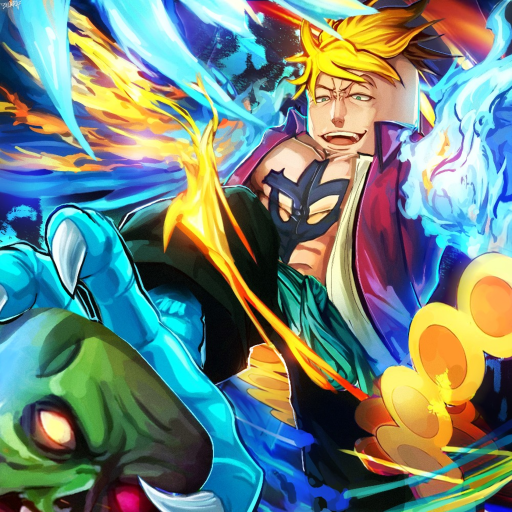
The Tools Hub turns wiki advice into session-ready checklists for Anime Zombie Arena. Guides teach systems; tier lists rank archetypes; tools help you commit to a plan before you press Play on Roblox. That matters in a free survival arena with endless zombie waves, unlockable classes, legendary summons, bosses, and team building across lobbies of up to 25 players.
Tools in this hub
- Loadout Planner 鈥?interactive-style markdown checklist: pick a class role, fill unit slots, set wave goals, and run a boss-prep list before hard attempts.
Use the planner every time your goal changes (farm night versus boss night). Copy the checklists into a note or party chat so teammates share the same targets.
When to open a tool instead of a guide
Open Tools when you already understand the basics and need execution structure:
- You finished Getting Started and How to Play.
- You know your preferred archetype from the Classes Guide or Class Tier List.
- You know roughly how summons work via Units and Summons or the Unit Tier List.
- You still wipe because the lobby has no shared plan.
If you are brand new, read guides first鈥攖ools assume you can name the role you want to play.
How the Loadout Planner fits the loop
- Role picker 鈥?choose DPS, support, tank/sustain, or summoner focus for this session.
- Unit slots 鈥?decide which summon jobs you need (burst, peel, distraction, sustain) without inventing fake unit names.
- Wave goals 鈥?set a target wave band or farm objective so you stop at a smart time.
- Boss prep 鈥?confirm cooldowns, positioning jobs, and wipe-recovery calls from the Boss Guide.
After the run, mark what failed and adjust the next planner pass. Pair with the Farming Guide so currency spent matches the plan.
Party workflow (up to 25 players)
Large lobbies benefit from a single shared checklist:
- One player owns the planner summary in chat.
- Cover at least damage + sustain; add support or summoner value if bosses are the goal.
- Agree when legendary units should be summoned (burst window vs. emergency peel).
- After a wipe, re-run only the boss-prep section instead of rewriting the whole loadout.
This keeps Anime Zombie Arena鈥檚 team building pillar practical instead of theoretical.
Quality bar for tools on this wiki
Every tool page should:
- Stay locale-friendly and free of invented stats.
- Link back to the guides that explain the underlying system.
- Use checklists you can complete in under two minutes.
- Avoid requiring external accounts or downloads.
The Loadout Planner is designed to meet that bar in pure markdown so it works on every device that can open the wiki.
Related hubs
- Guides Hub 鈥?full tutorial map.
- Tier List Hub 鈥?what to prioritize unlocking.
- Players Hub 鈥?Controls before long sessions.
- Codes 鈥?claim rewards that fund the plan.
- Updates 鈥?know when to revise checklists after patches.
Bookmark this hub next to your tier lists. When Rubicon Z adds systems, new tool pages will appear here first as checklists, then deepen into guides once the community understands the loops.
Frequently Asked Questions
Quick answers for Anime Zombie Arena players.
What tools are available for Anime Zombie Arena?
Start with the Loadout Planner for class role, unit slots, wave goals, and boss prep checklists. More planners may join this hub later.
Is the Loadout Planner an in-game script?
No. It is a wiki checklist you complete before or during a session. It does not inject anything into Roblox.
Can a whole lobby use one planner?
Yes. Assign roles from the checklist in chat so up to 25 players cover damage, sustain, support, and summons deliberately.
Should beginners use Tools first?
Read Getting Started and How to Play first. Return to Tools once you can choose a role archetype confidently.
How do tools relate to tier lists?
Tier lists suggest what is strong. Tools turn that advice into a concrete session plan without inventing false stats.